

AI Proposes, You Approve
Safe SQL Tuning
Run everything from SQL analysis to performance and impact validation in ExTuner AI, and apply only approved improvements to production.

Target Analysis
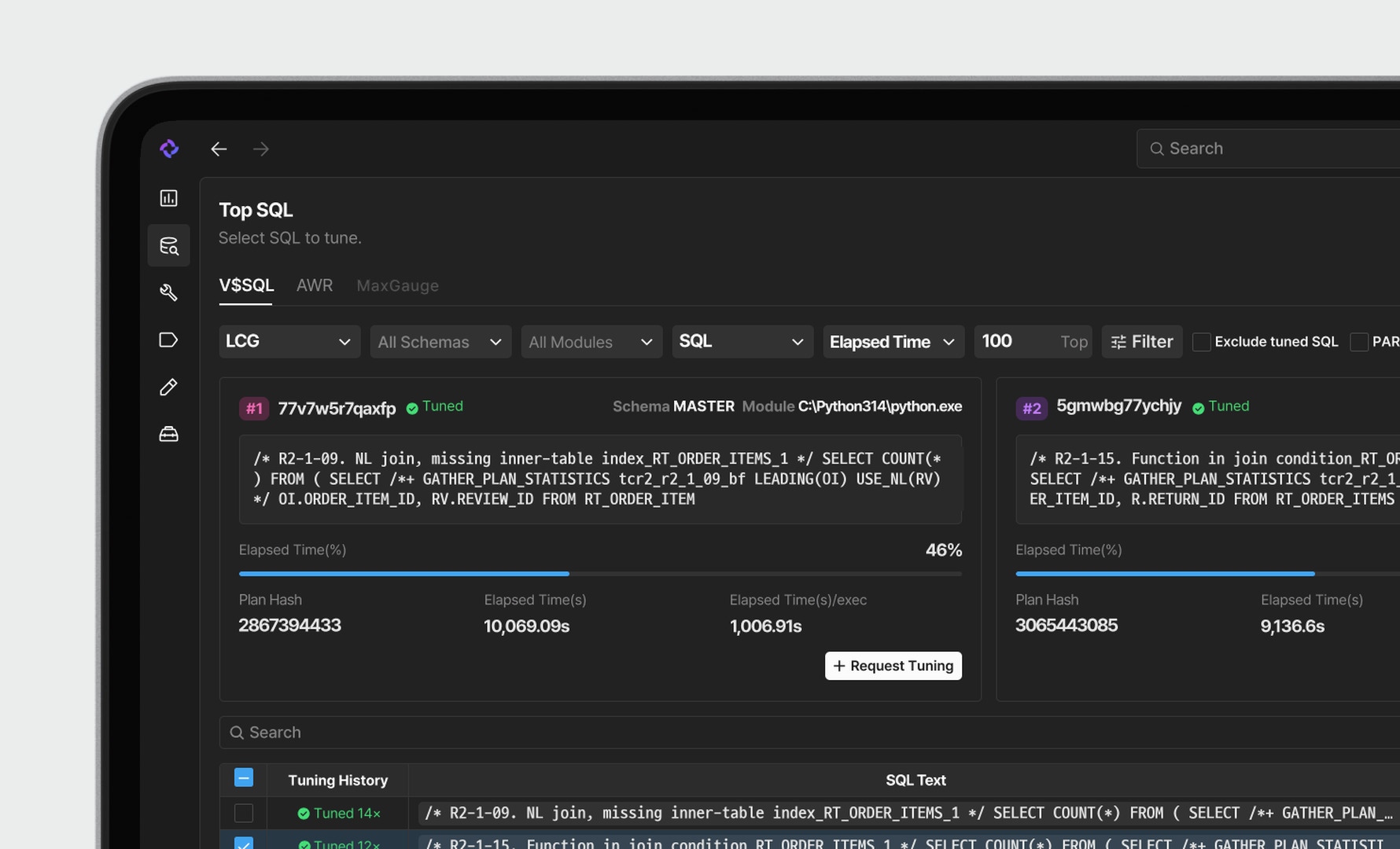
Heaviest SQL First,
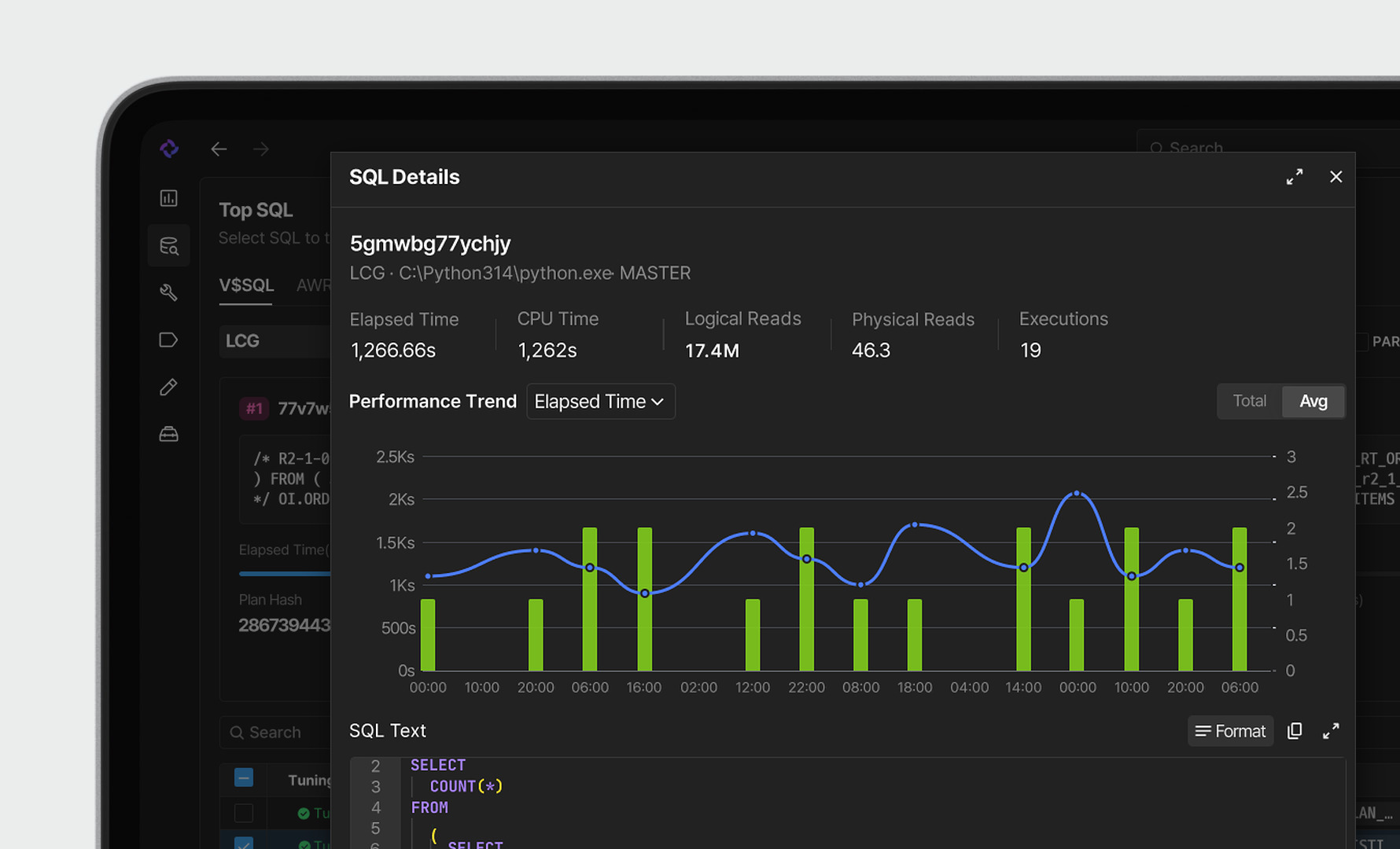
Tuning Priorities at a GlanceAnalyze SQL in Depth,
Request Tuning in One ViewCheck Top SQL and key performance metrics from V$SQL and AWR at a glance. Use response time, I/O and executions to pick the SQL you should tune first.
Review SQL text, execution plans, performance trends, and bind variables in one panel. Then request or schedule tuning for that SQL right where you are.
AI Auto-Tuning
Automate SQL Tuning
with Schedules and BatchesTuning Progress at a Glance,
with Easy Run ControlTuning Progress at a Glance,
with Easy Run ControlTuning Progress at a Glance,
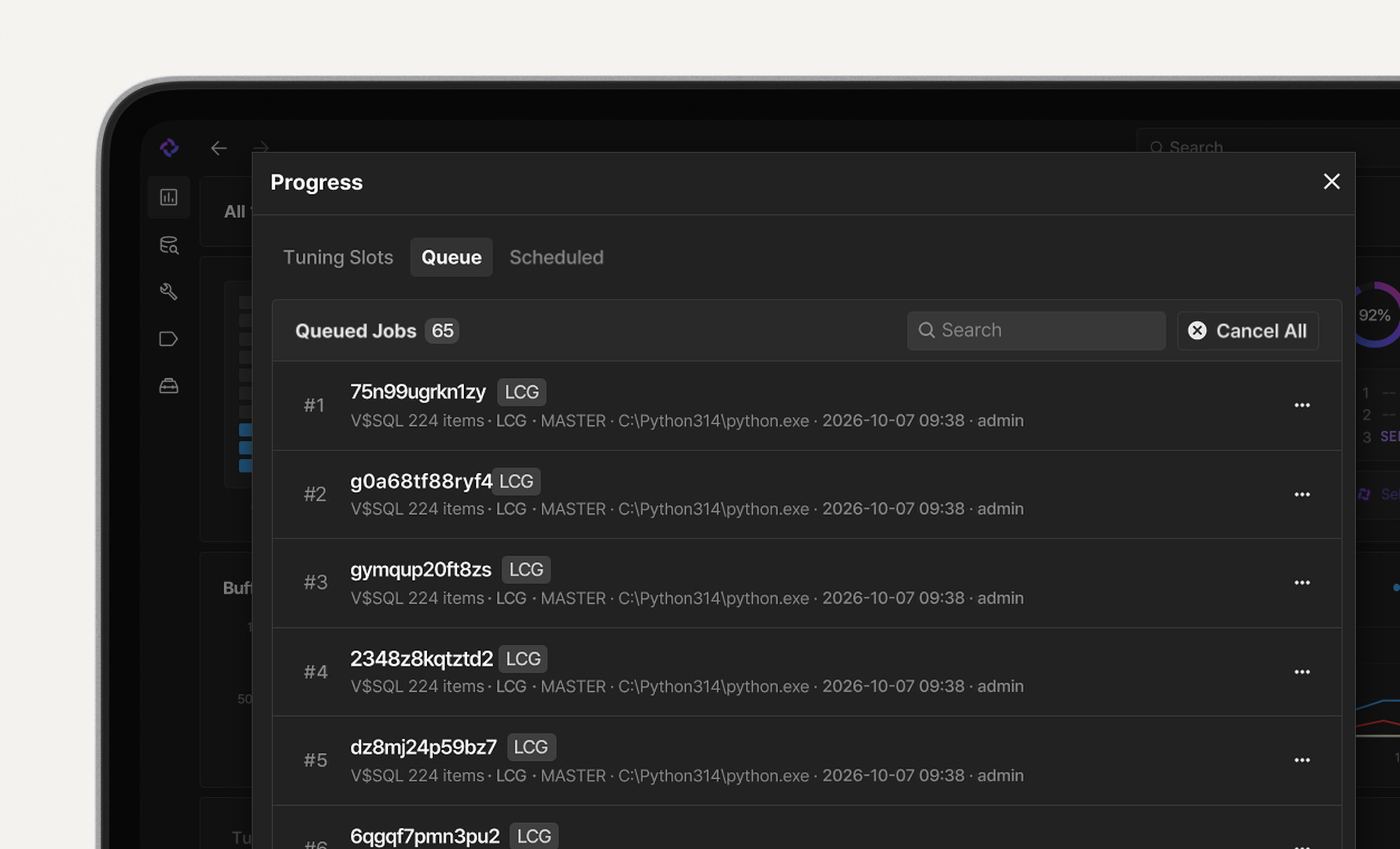
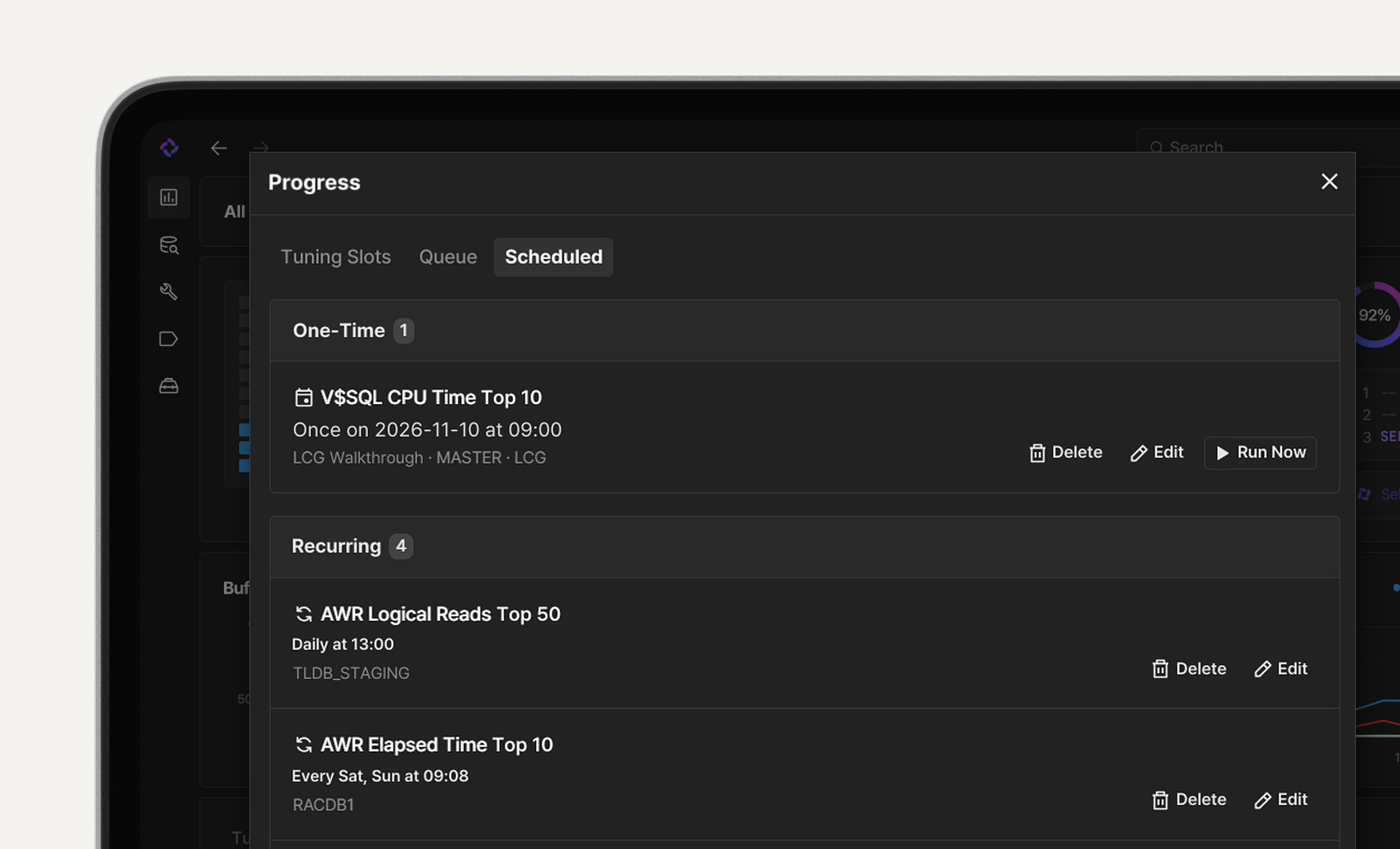
with Easy Run ControlAdd SQL statements to the job queue, and AI analyzes them one by one to build tuning proposals. Schedule them at a chosen time or interval to spend less time on manual tuning.
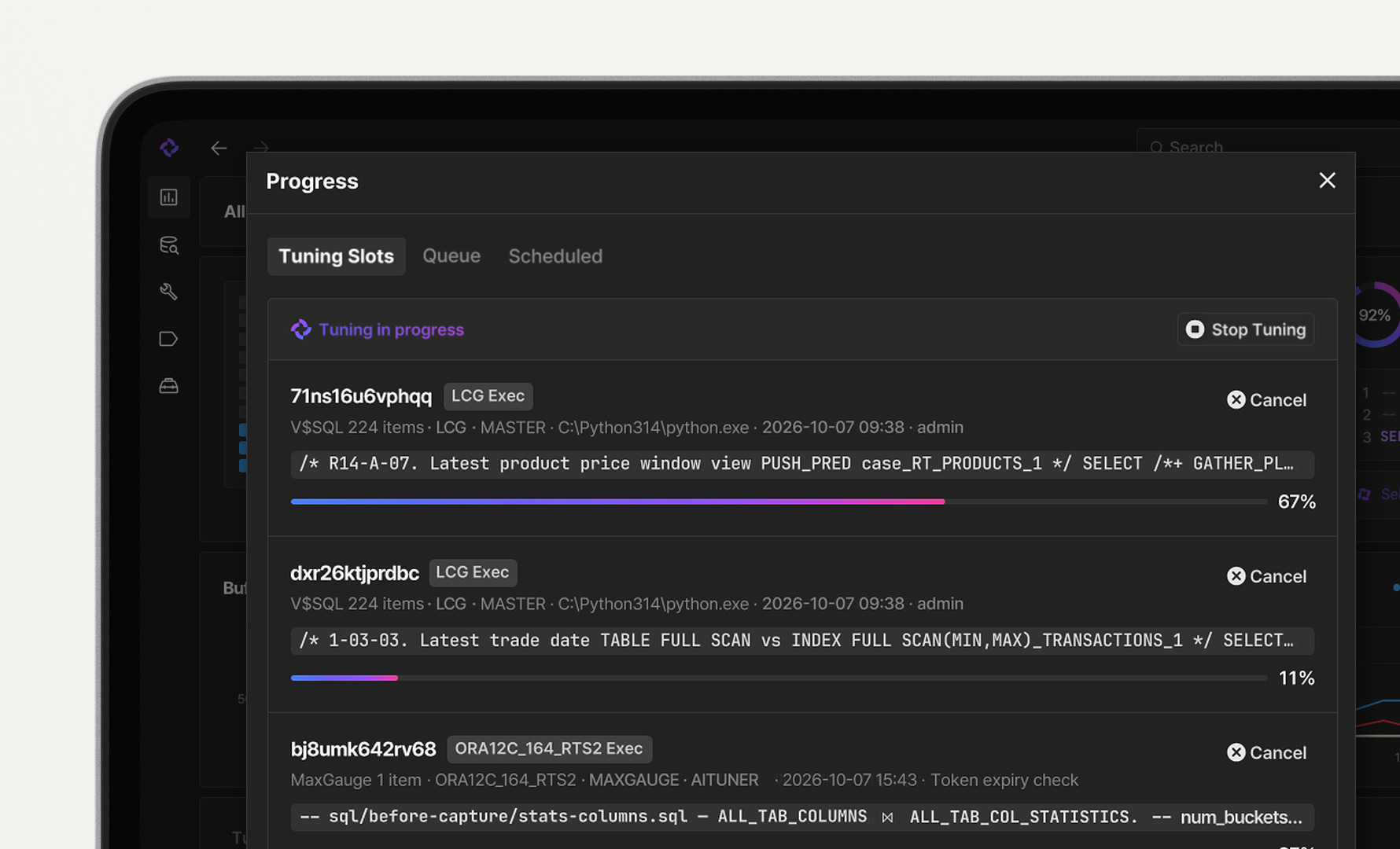
Follow the stage and progress of analysis, tuning, and validation for each SQL in real time. Monitor running jobs alongside the waiting and scheduled lists, and control execution whenever you need to.
Follow the stage and progress of analysis, tuning, and validation for each SQL in real time. Monitor running jobs alongside the waiting and scheduled lists, and control execution whenever you need to.
Follow the stage and progress of analysis, tuning, and validation for each SQL in real time. Monitor running jobs alongside the waiting and scheduled lists, and control execution whenever you need to.
Performance & Impact Validation
Performance and Plans,
Before and After TuningBefore You Add an Index,
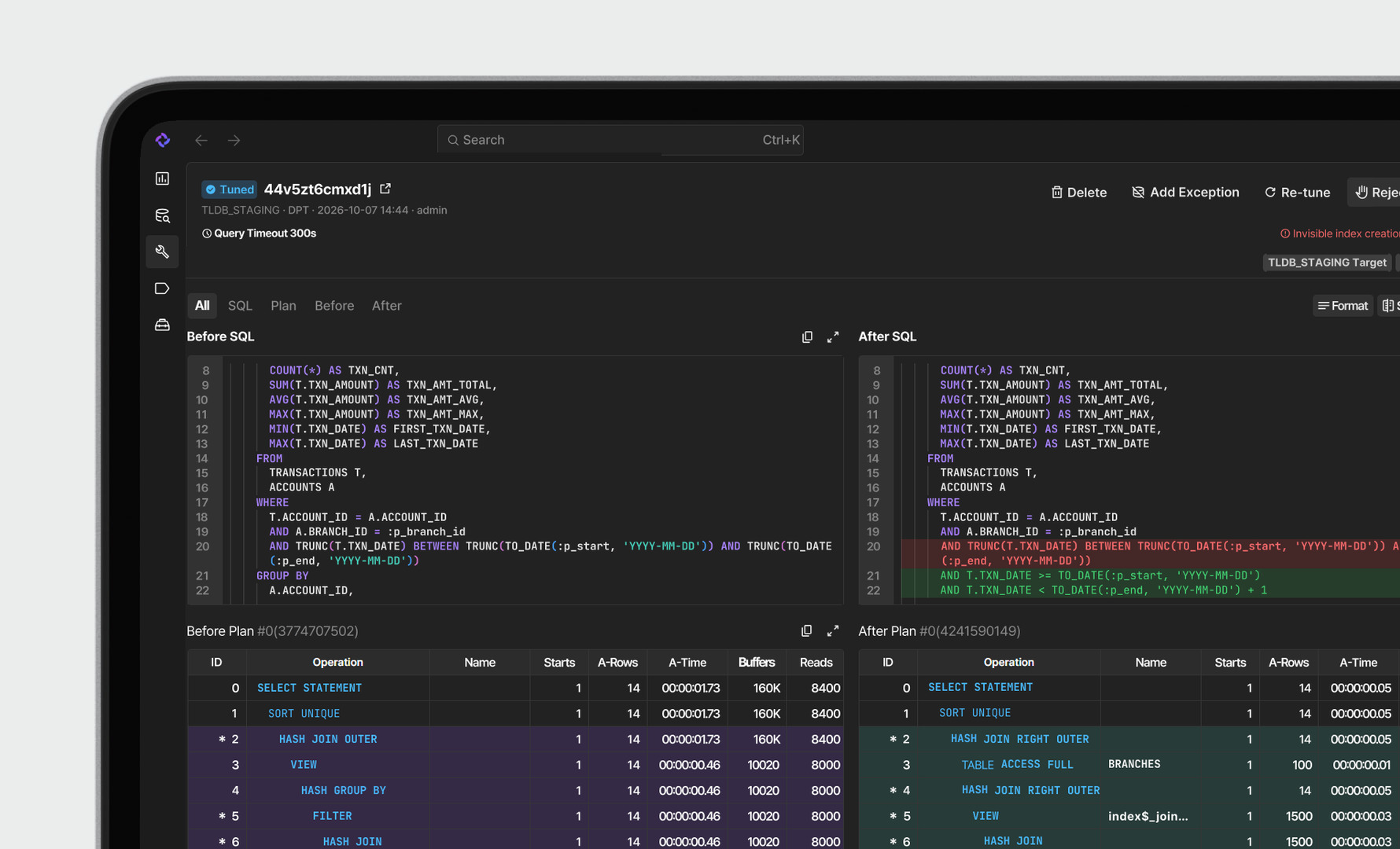
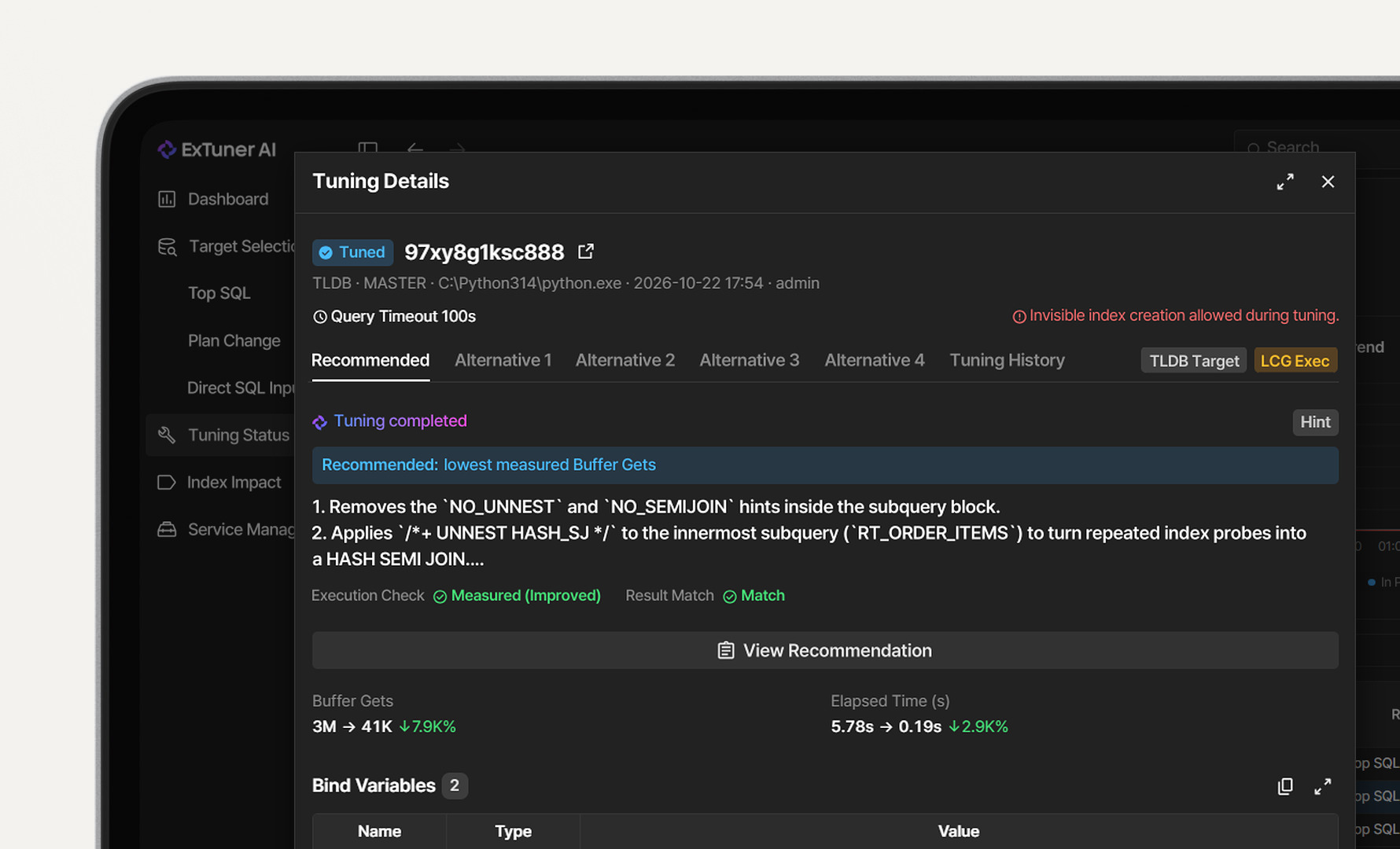
See Its Impact on Other SQLView execution plans and performance metrics of the original and tuned SQL side by side. Changes in response time and Buffer Gets show how much a tuning proposal improves the SQL.
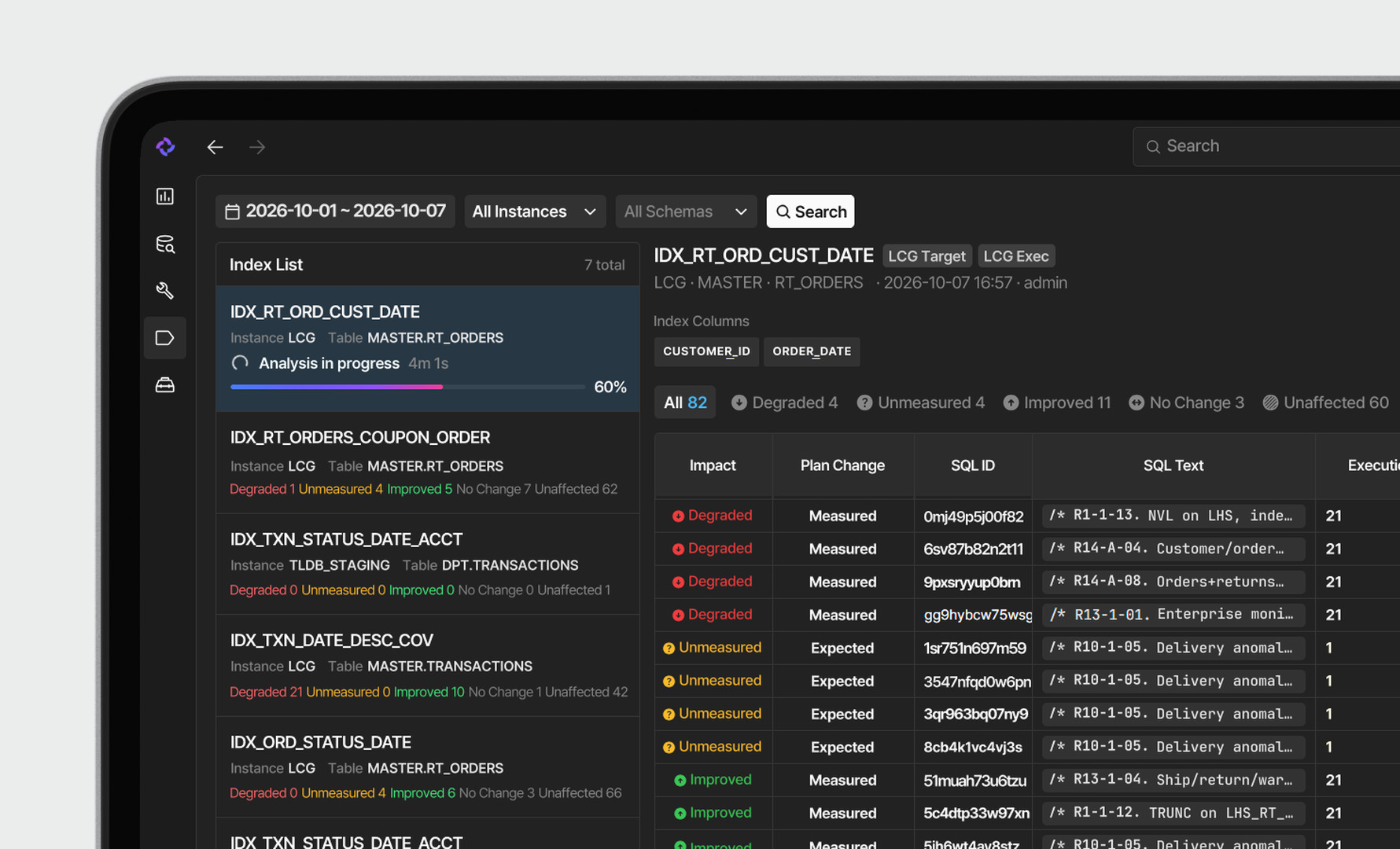
Create candidate indexes temporarily and measure how related SQL performs. Decide whether to apply them based on per-SQL improvement or regression results. Validation indexes are removed automatically.
Review & Approval
AI-Proposed Changes,
with the Reasons Made ClearApprove, Re-Tune or Reject,
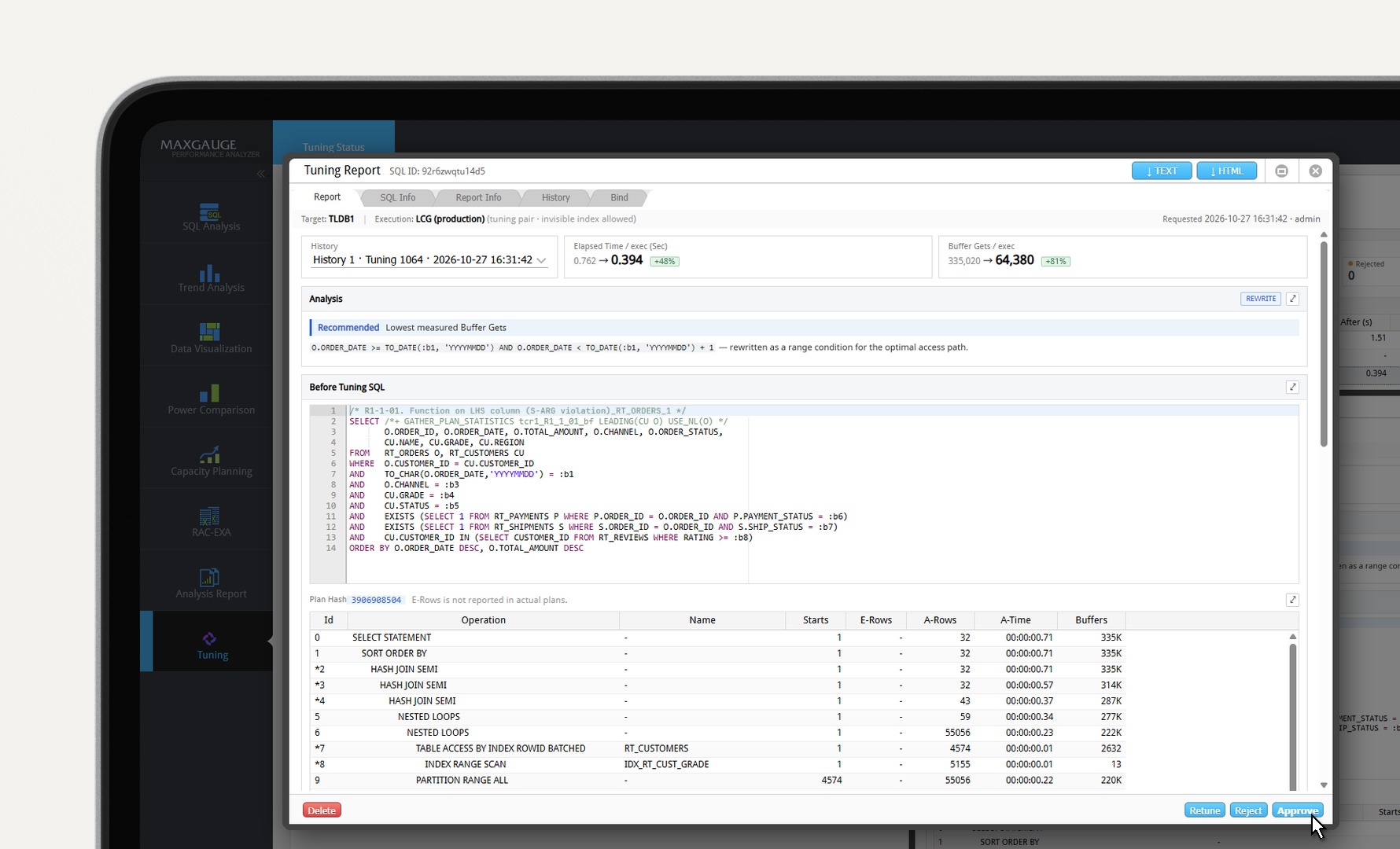
You Make the Final CallSee SQL changes together with the AI's analysis rationale. Review the reasons and validation results behind hint, SQL Rewrite, and index proposals to assess whether each tuning proposal is sound.
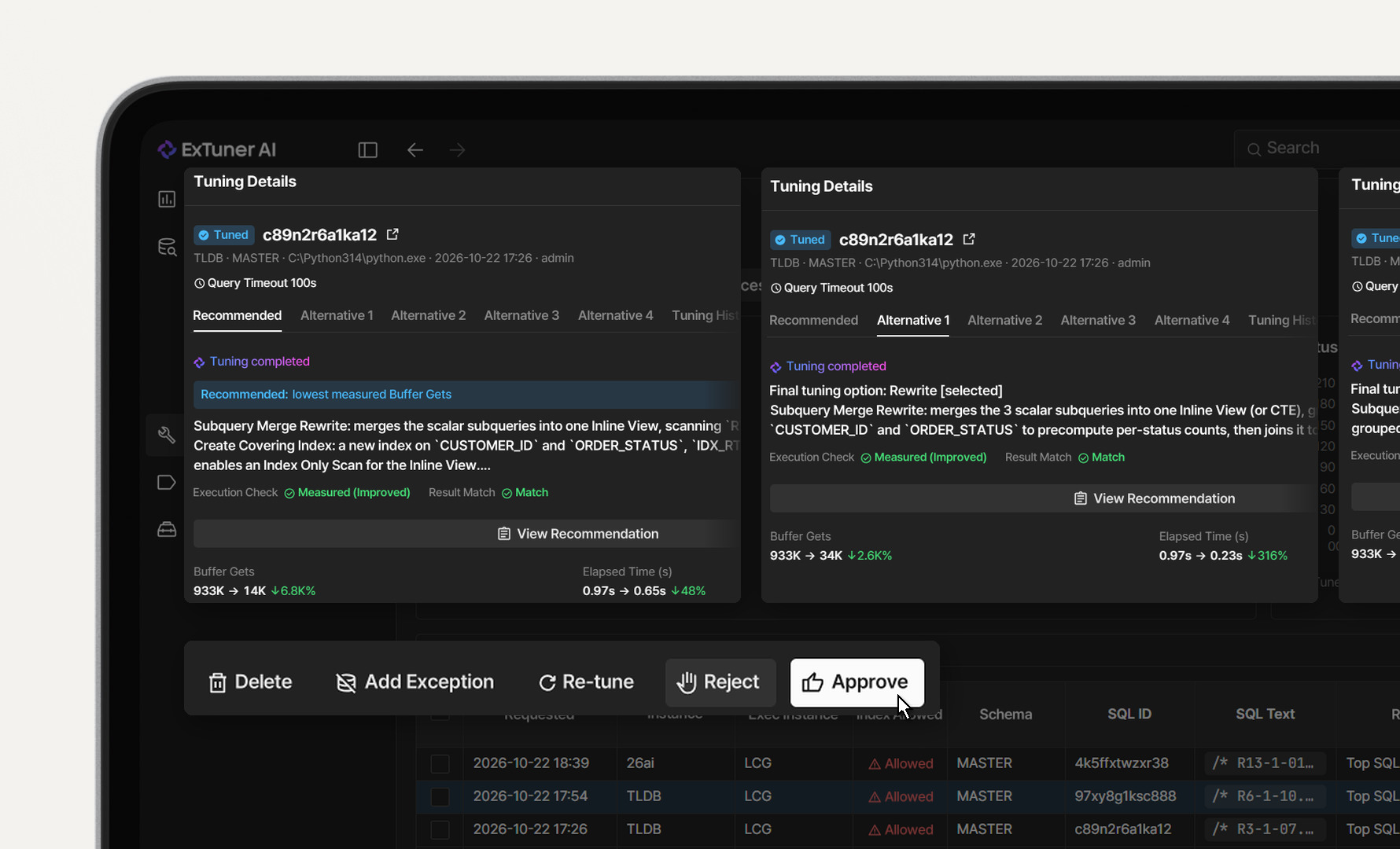
Compare the recommended and alternative tuning proposals along with their validation results, and approve, re-tune, or reject them. When a proposal needs more work, you can request tuning again.
Rollout Support & History
Reviewed Tuning Proposals
in One Easy-to-Read ReportWhen and How Often,
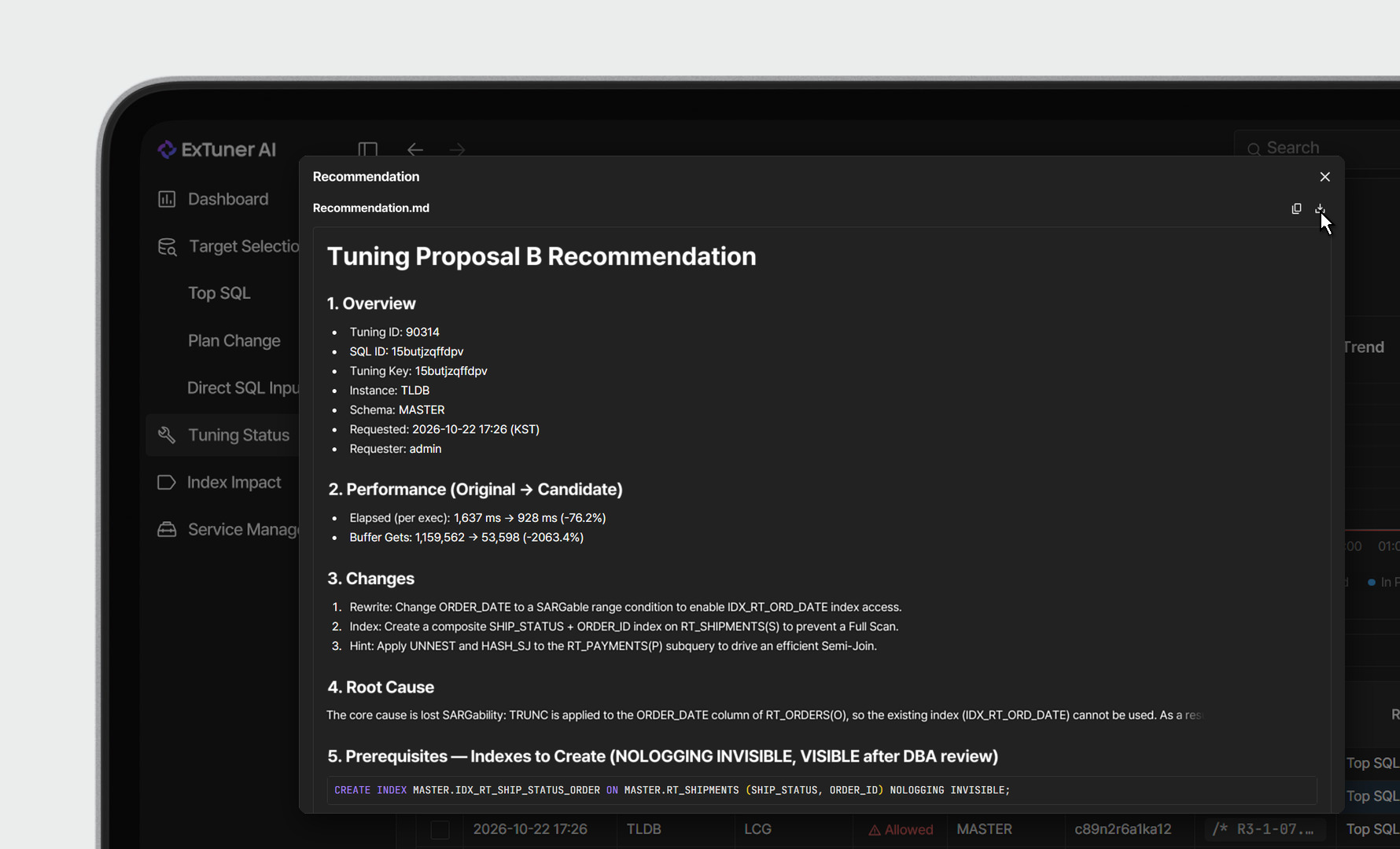
a Tuning History for Every SQLDownload tuning recommendation reports as .md files. With before and after SQL, execution plans, and performance comparisons in one document, use each report as a change-management record or share it with your team.
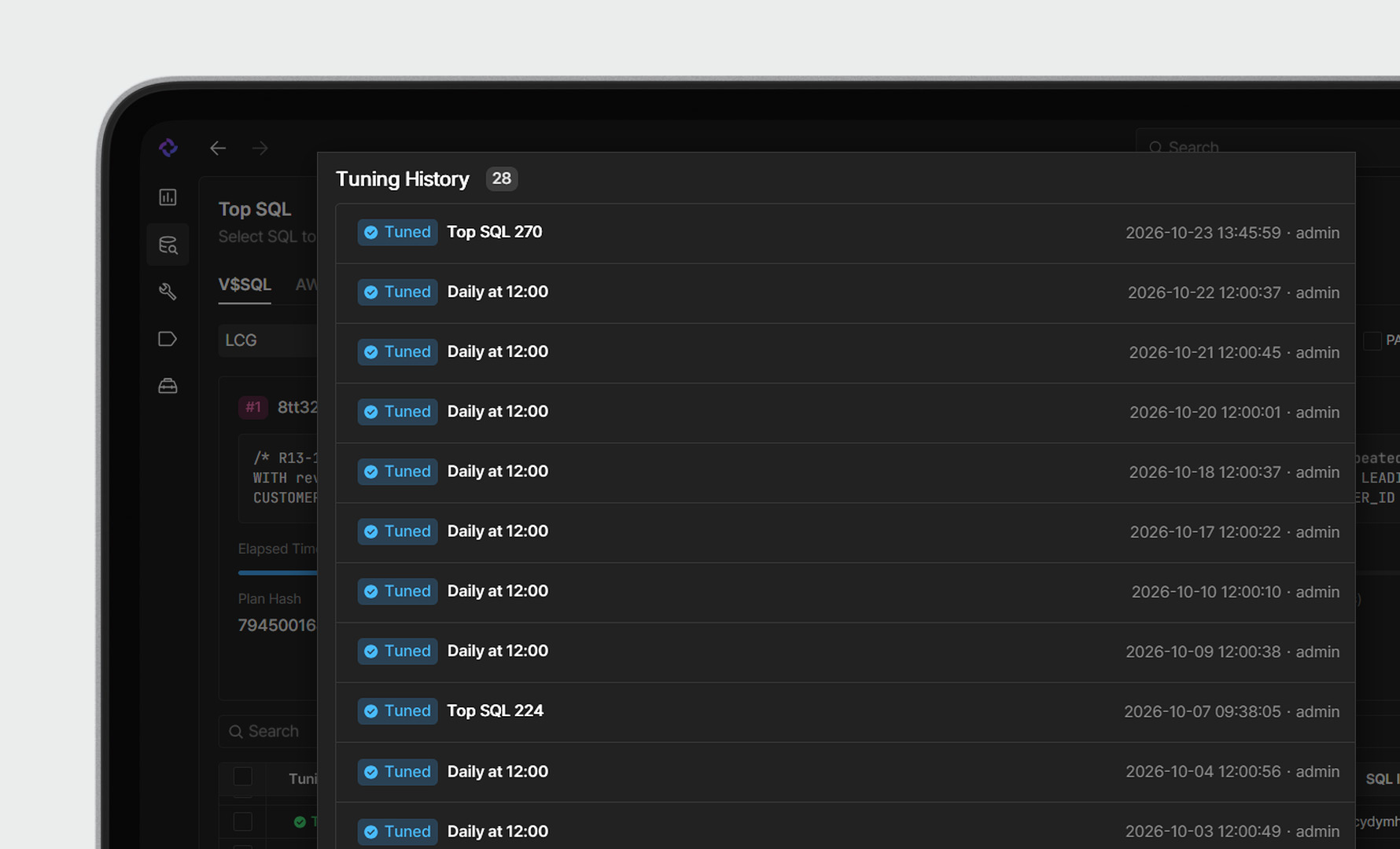
Each tuning run is recorded per SQL, along with the SQL, execution plan, performance figures, and requester at that time, so you can use it for change tracking and audits.
MaxGauge Integration
Heavy SQL in MaxGauge,
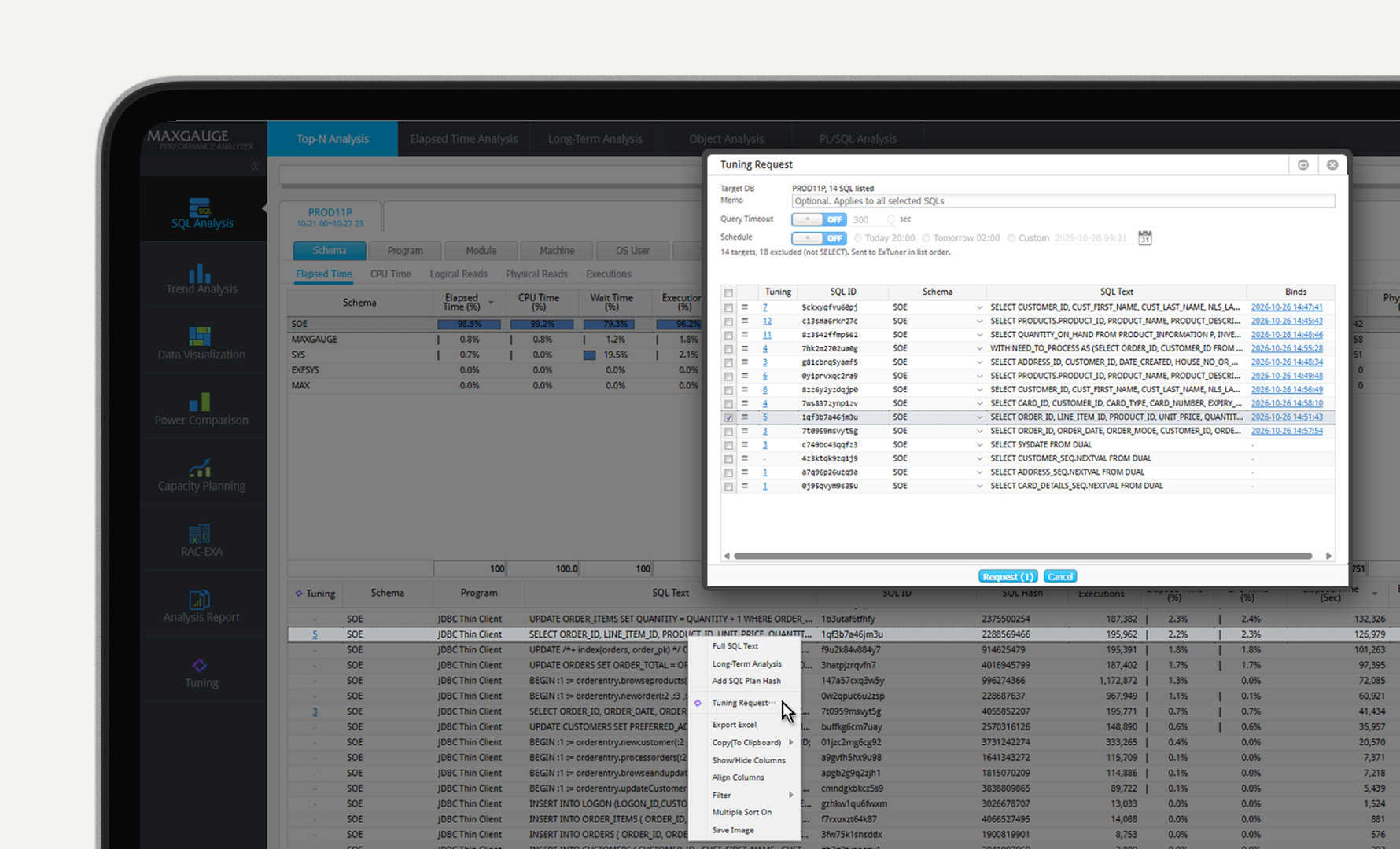
Request Tuning by Right-ClickReview and Approve Results
Right Inside MaxGaugeRequest tuning right away by right-clicking SQL on the real-time monitoring and post-analysis screens. Send several at once or schedule them to run overnight.
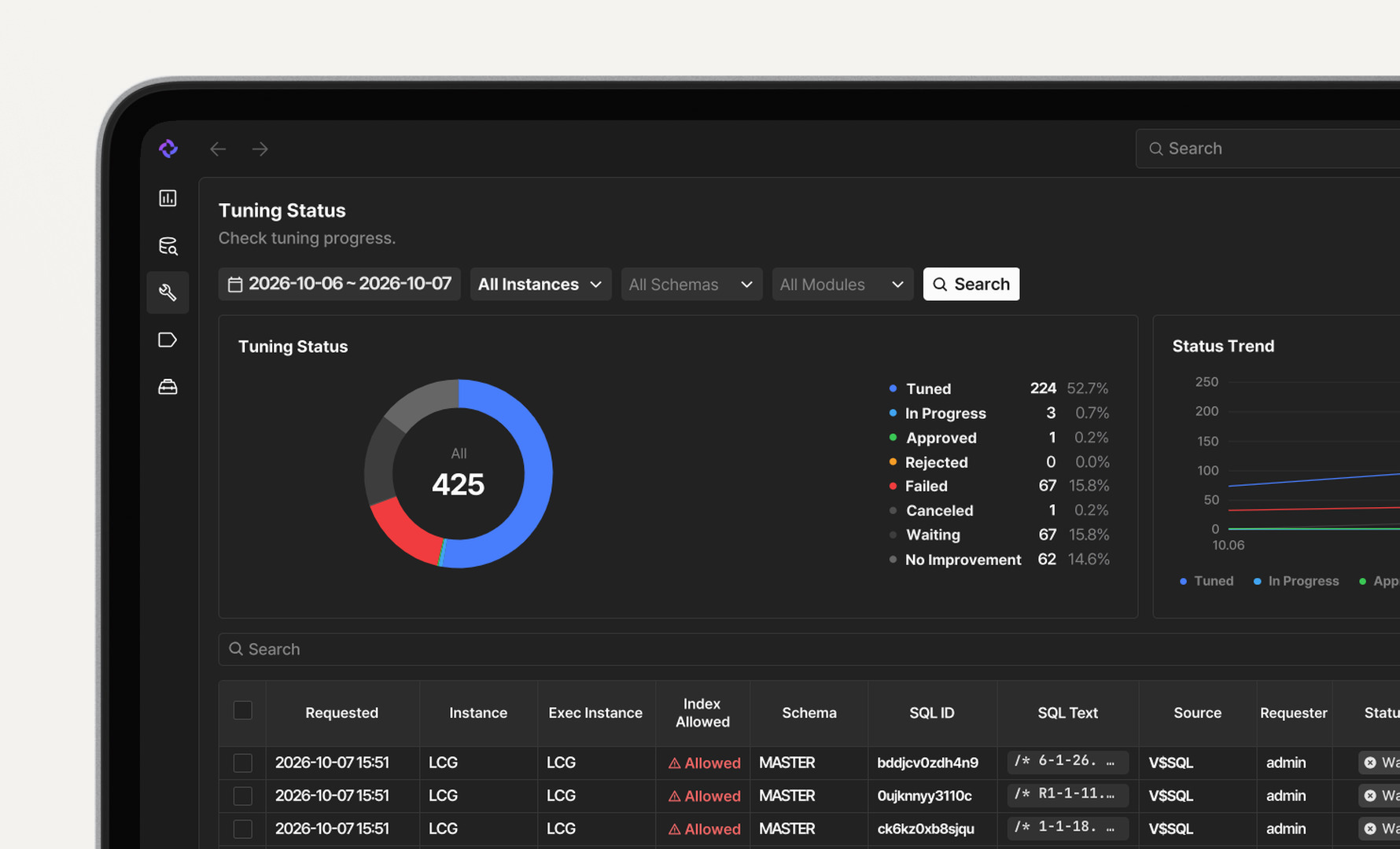
See the status, results, and improvement rate of each requested SQL on the Tuning Status screen. Check the Before/After measurements in the report and approve or reject on the spot.
EXEM Goes Beyond Advice
It's a Partnership for Change
1:1 Consulting
In-Depth Consulting
From solution adoption to operational optimization, we provide systematic support from the client's perspective.
Root Cause Diagnosis
We pinpoint issues accurately through staff interviews and analysis of the system environment and operational status.
Post-Consulting Support
Through regular visits and remote support, we help keep your IT systems stable and optimized long after the engagement.
Integrated Knowledge Portal
Discover technical documentation, operational tools, and educational materials, all in EXEM Portal.
Interested in ExTuner AI?
- Download
Find out more in the brochure for detailed features and specs.
Enhance IT Operations
with EXEM
Transform operations and management into real business impact.