

Beyond monitoring to allocation
Unified GPU and NPU management
See GPUs and NPUs across your servers in one place. Allocate resources where they are needed with ExPU.
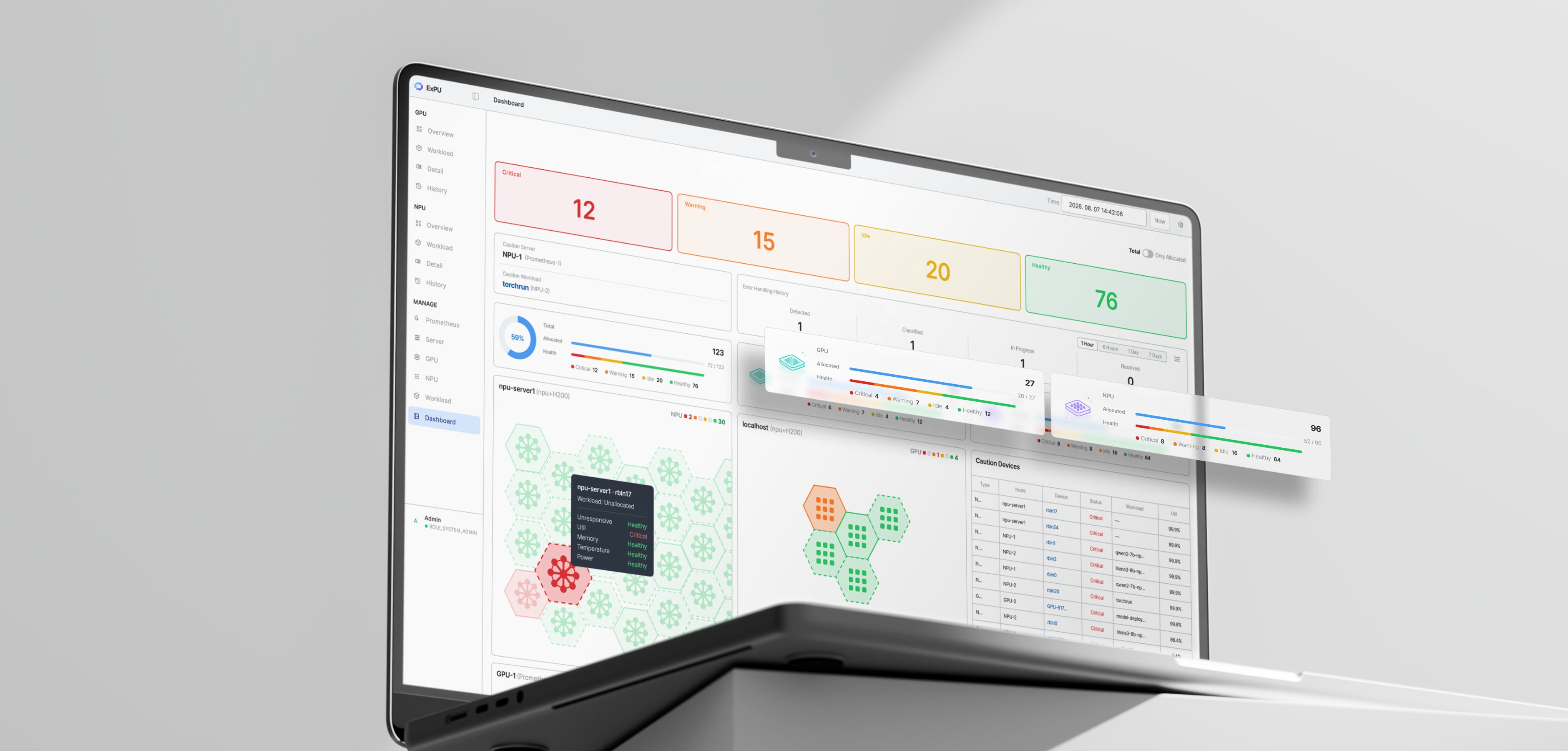
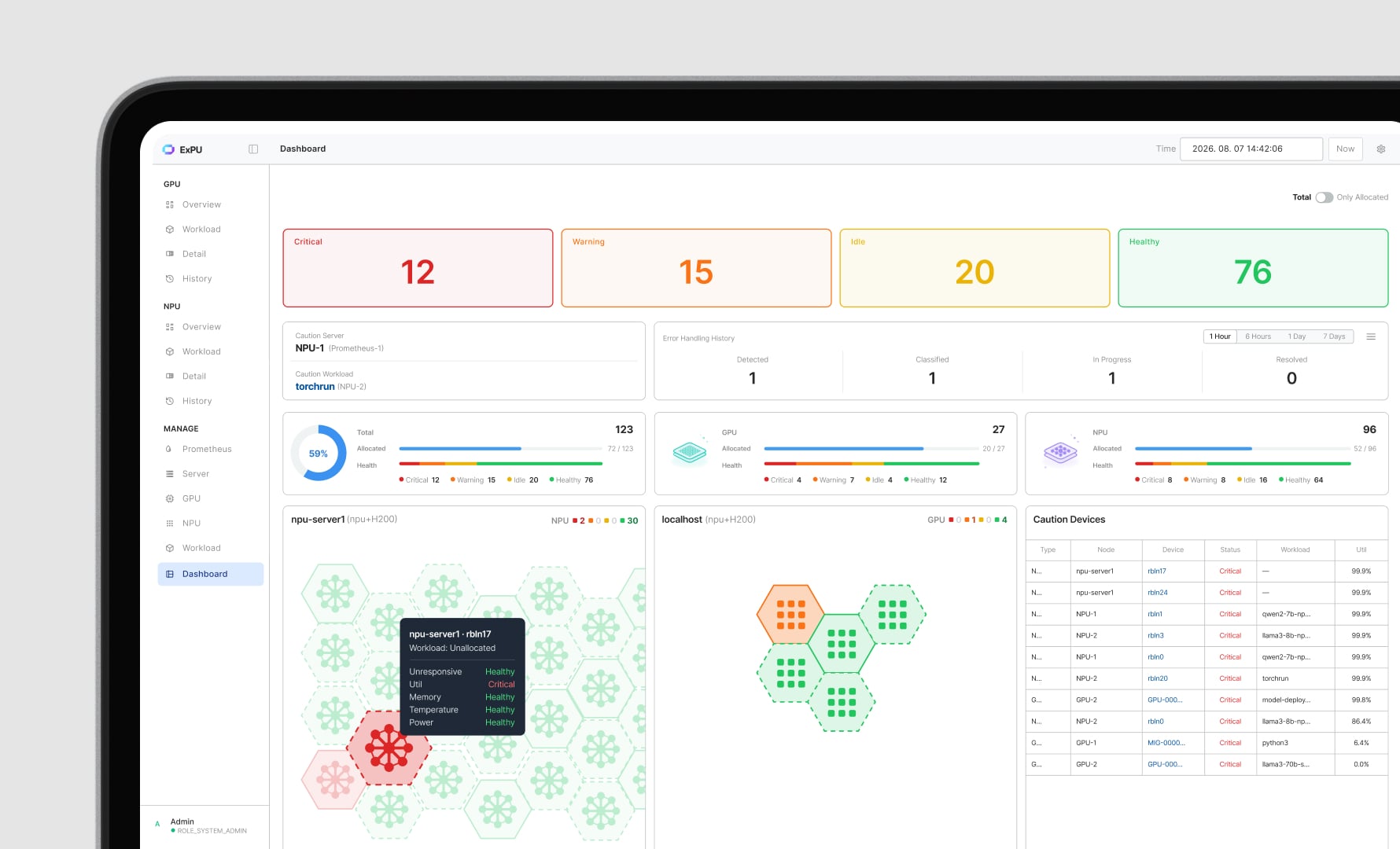
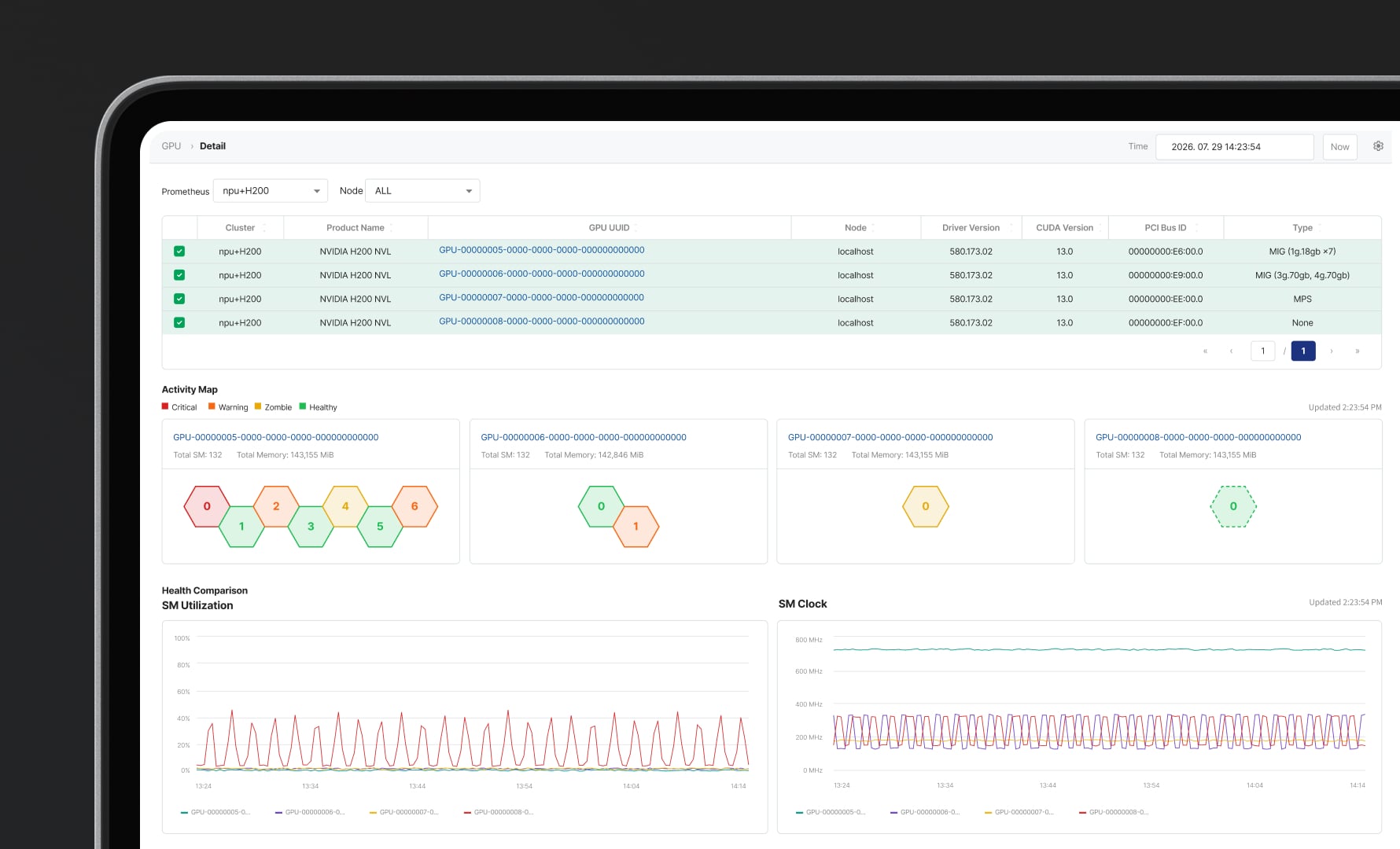
Unified monitoring
Monitor GPUs and NPUs
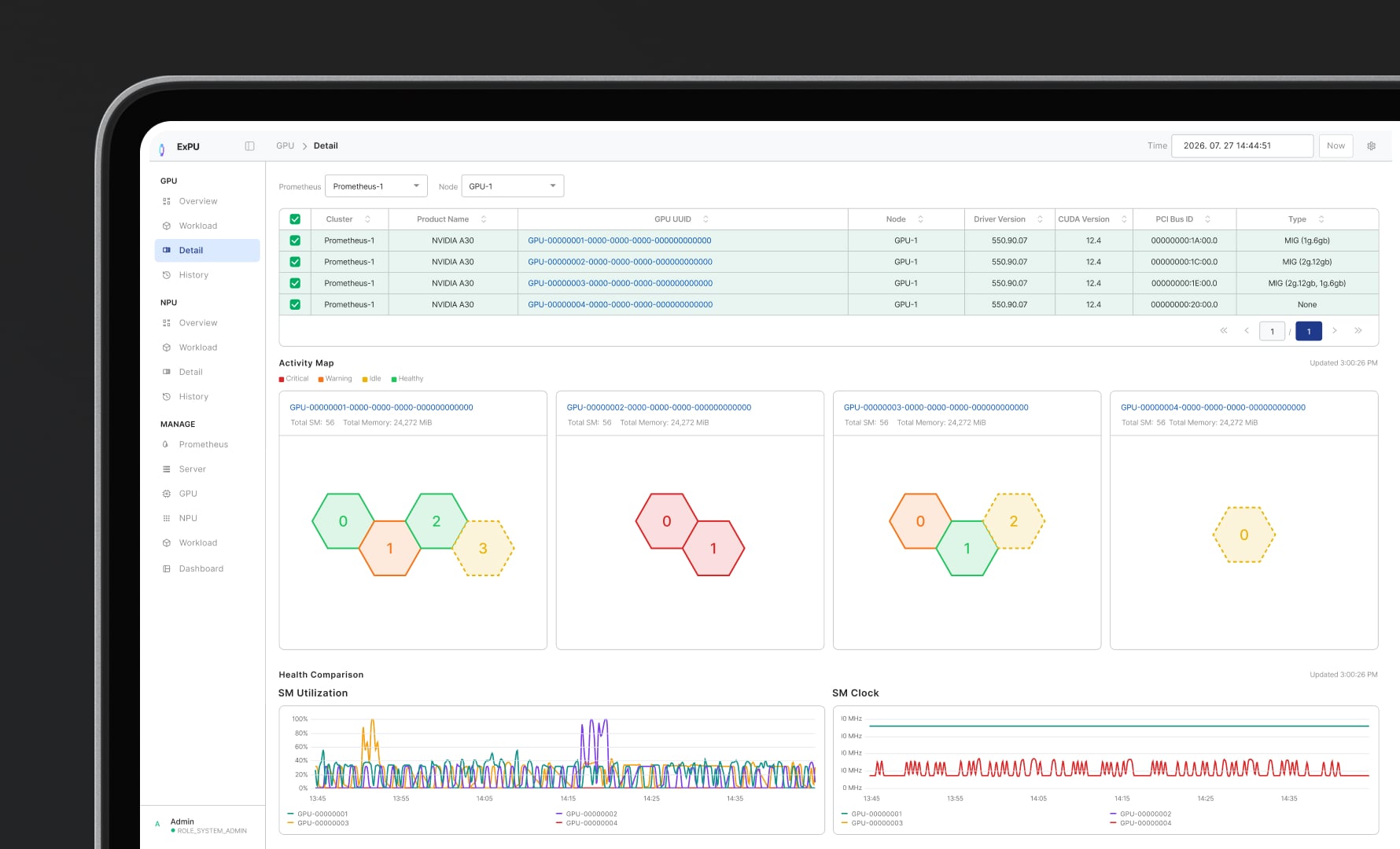
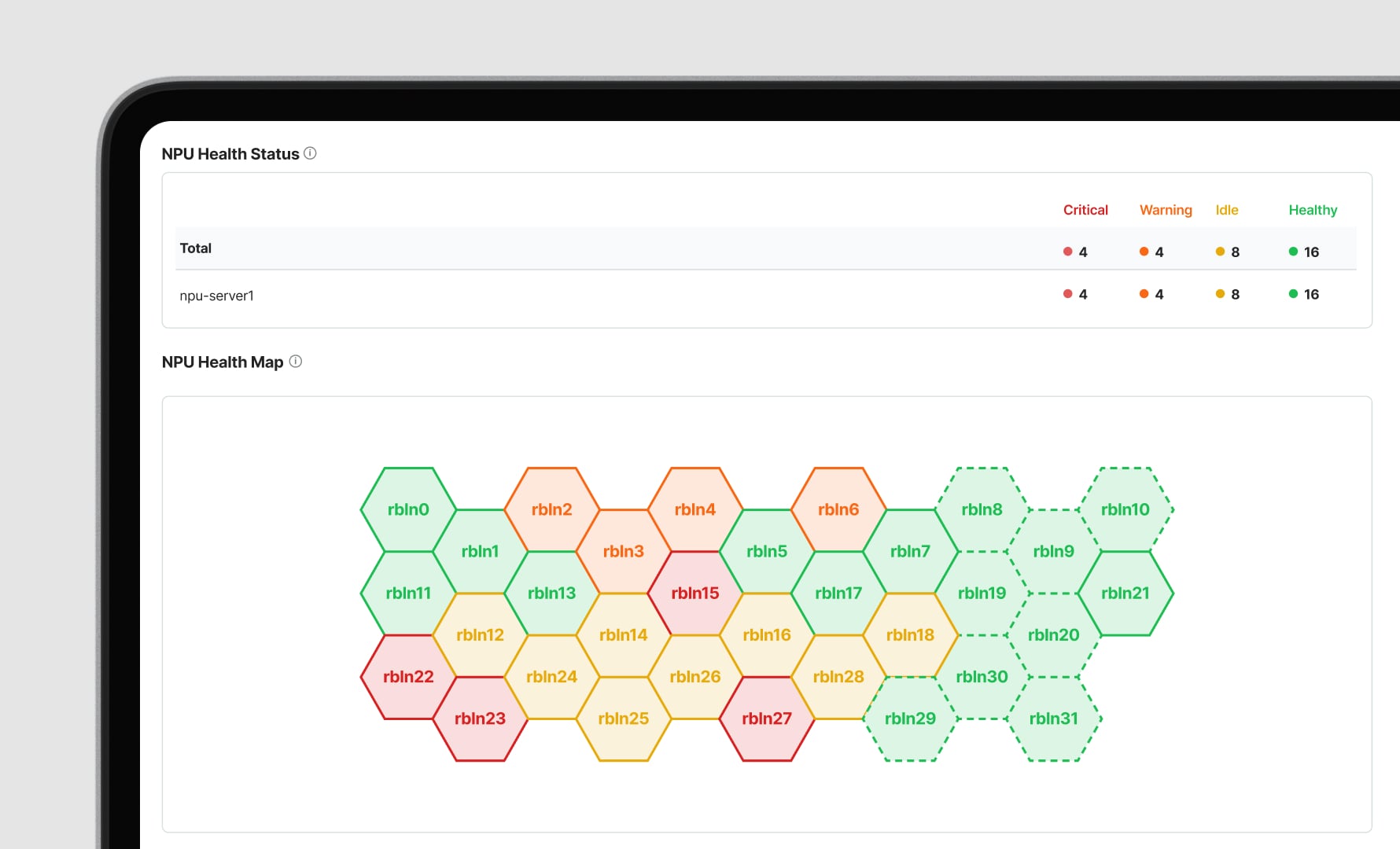
in one unified viewSee GPU partitions
in a hexagon viewCompare accelerator usage
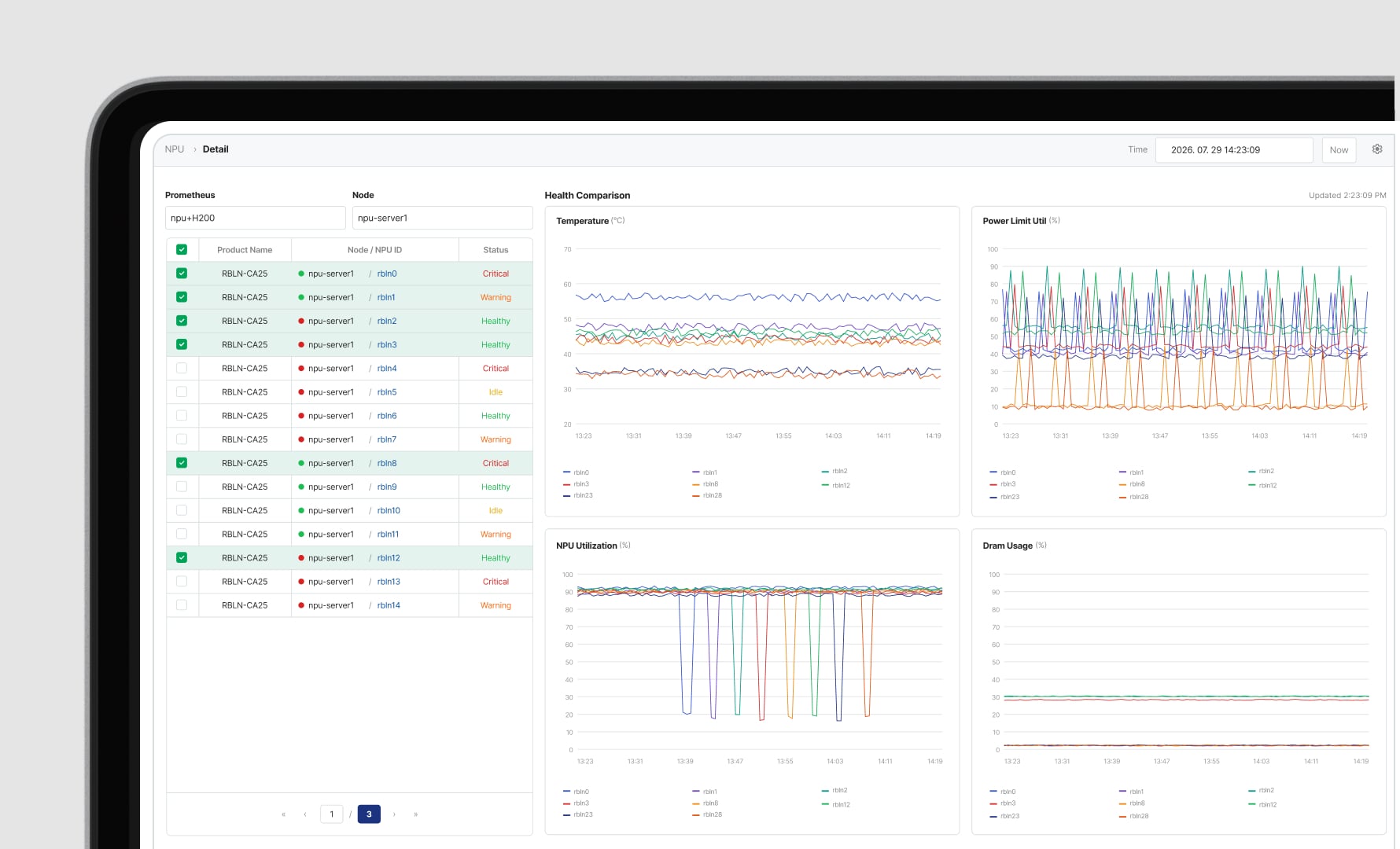
and check load balanceCompare accelerator usage
and check load balanceMonitor GPUs and NPUs together. See cluster health and resource allocation in real time.
View MIG, MPS and time-slicing partitions. Compare device metrics to spot issues.
Compare accelerator utilization to find overloaded devices and track resource balance in real time.
Compare accelerator utilization to find overloaded devices and track resource balance in real time.
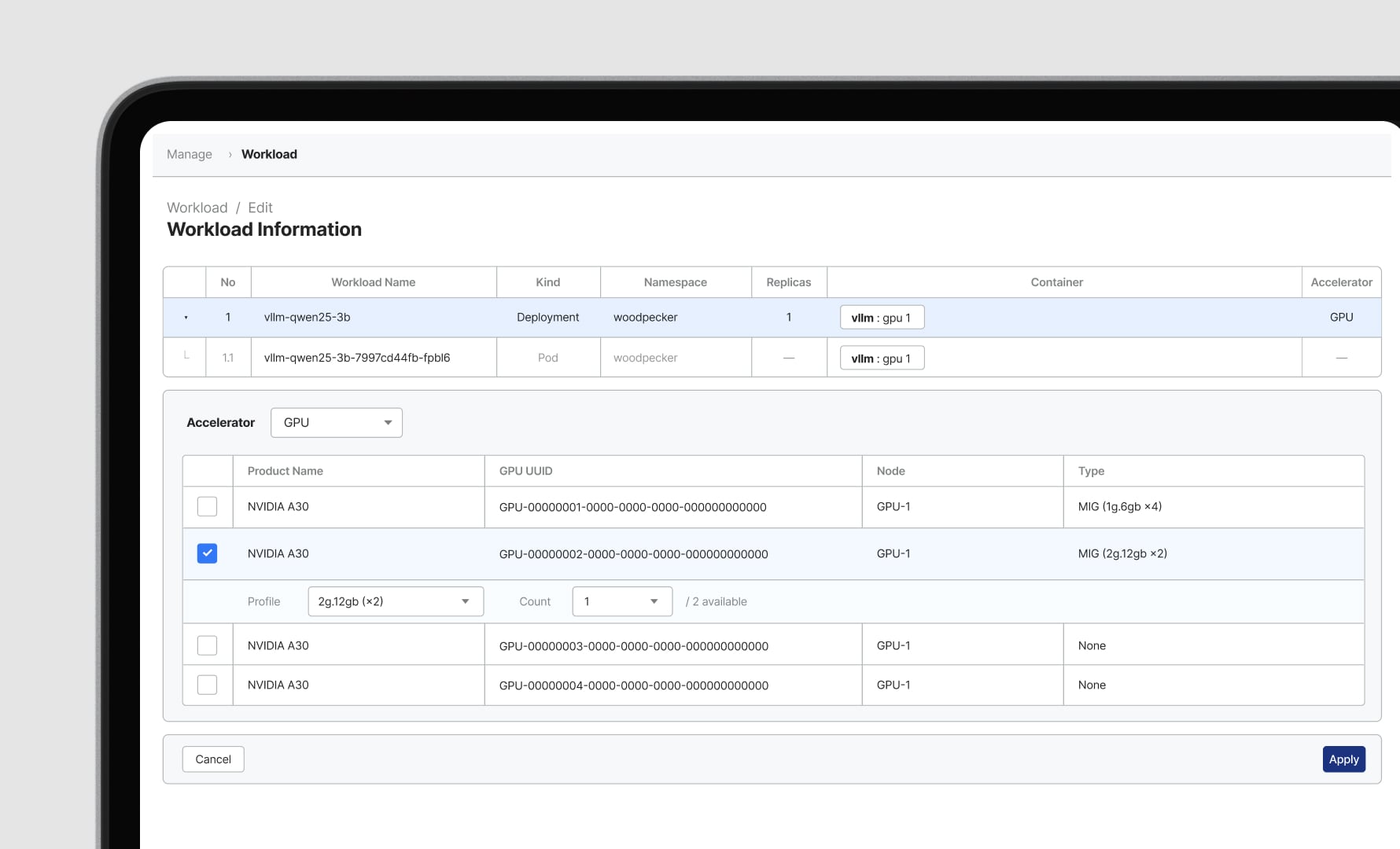
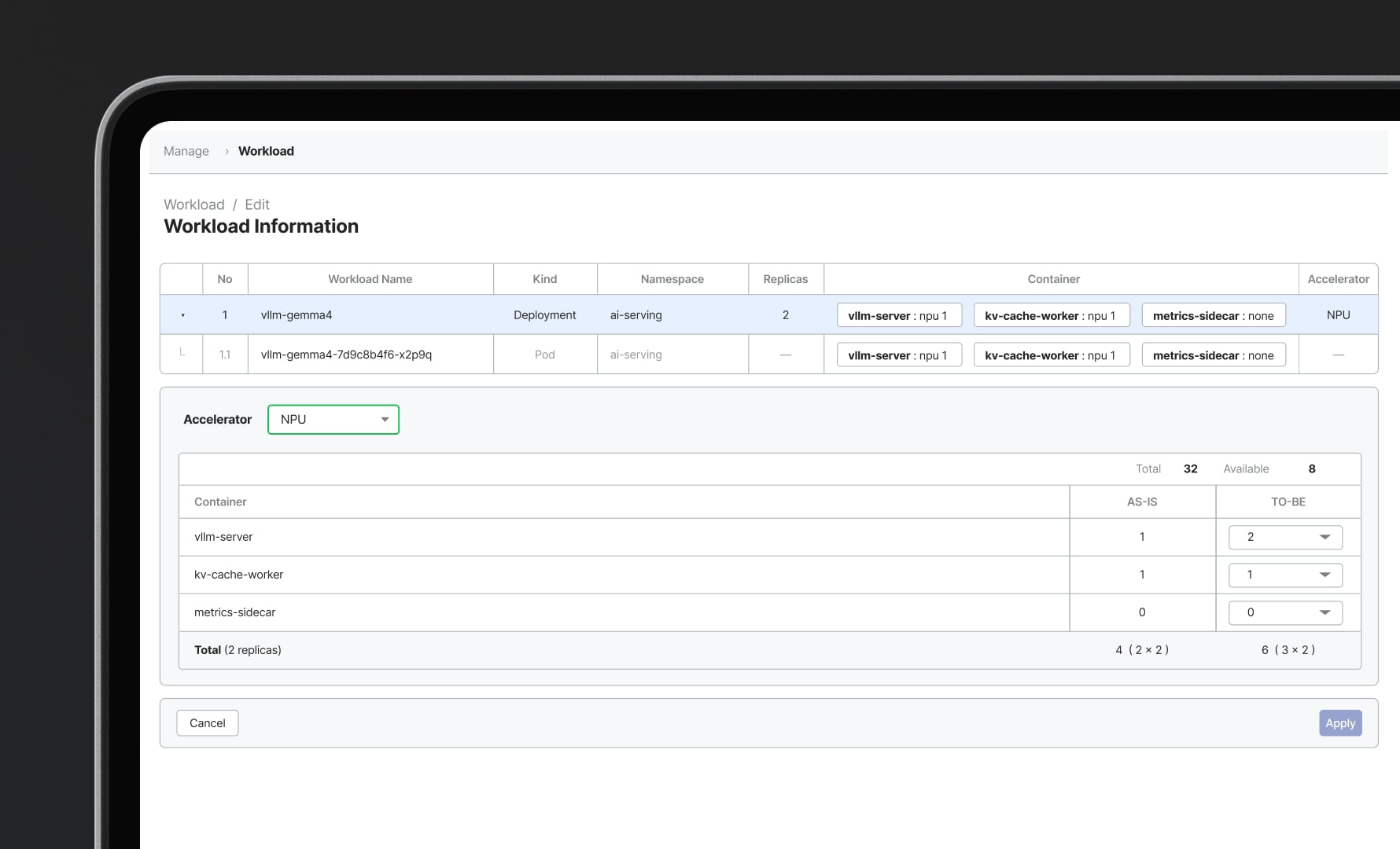
Resource control
Allocate and reclaim
with a few clicksAllocate and reclaim
with a few clicksAllocate, reclaim and adjust accelerators from the monitoring screen. No commands or separate tools needed.
Allocate, reclaim and adjust accelerators from the monitoring screen. No commands or separate tools needed.
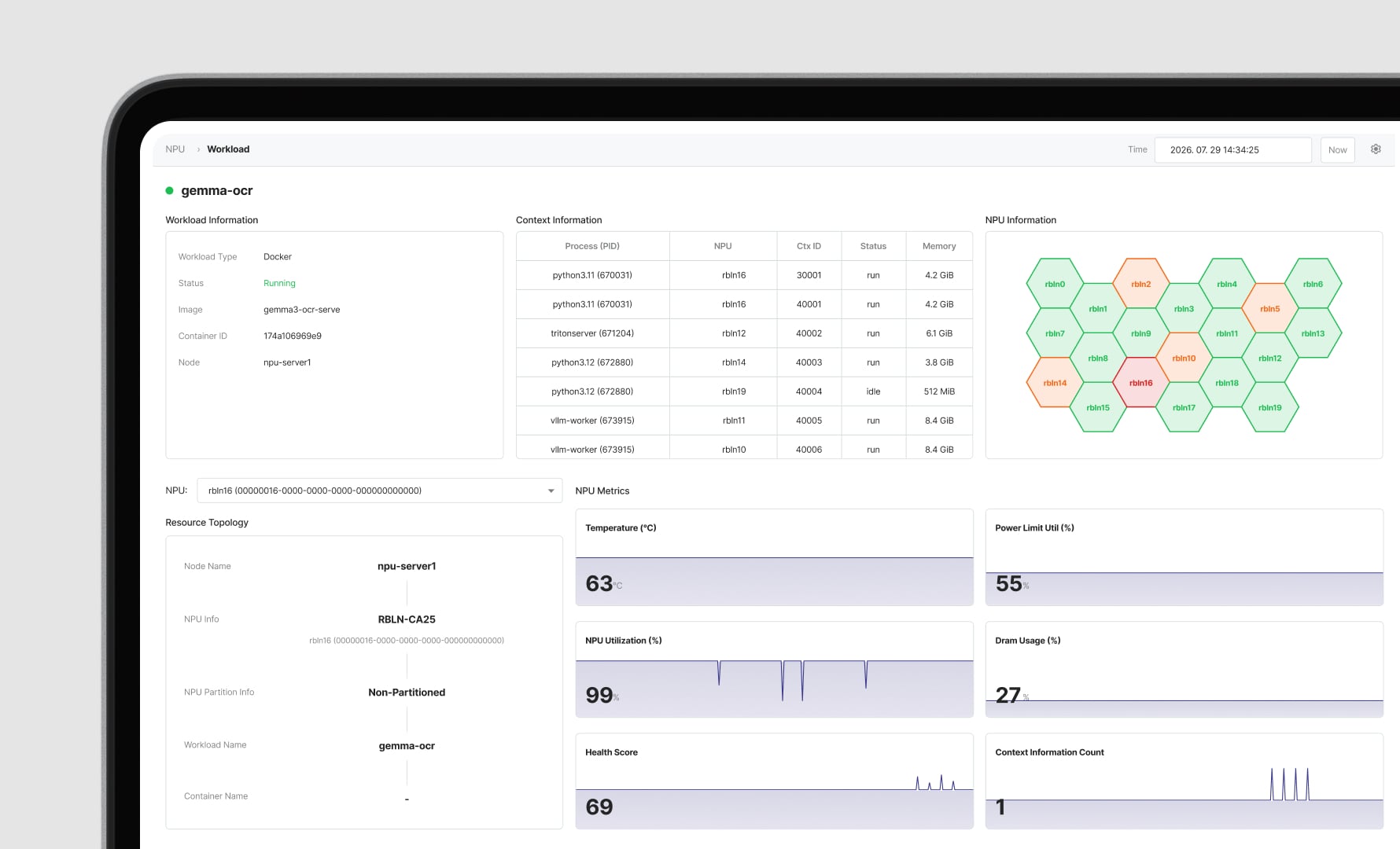
Resource analysis
Track live usage
by workload and deviceTrack live usage
by workload and deviceAssess resource health
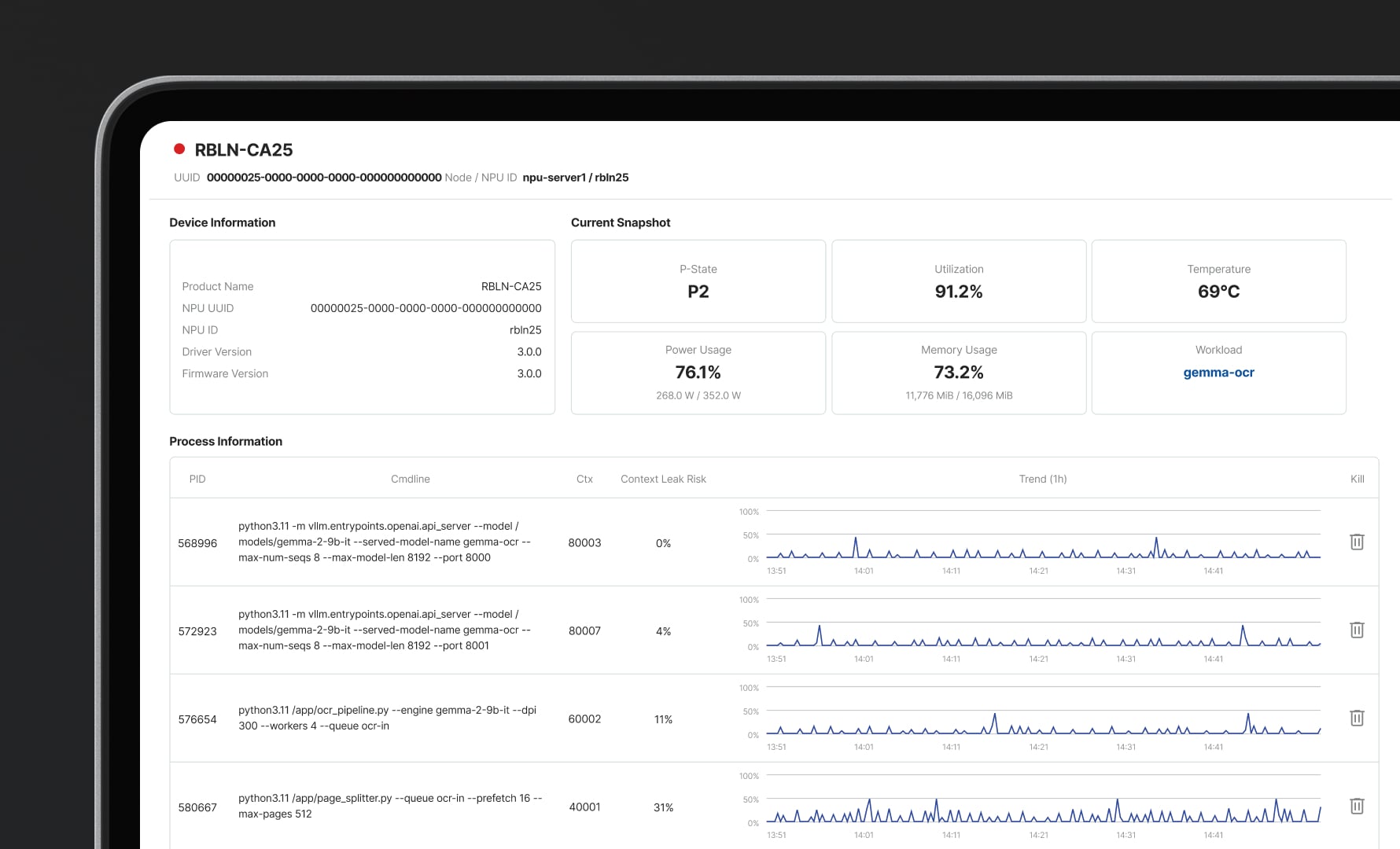
and reclaim idle capacitySelect a workload to see its accelerators, or a device to see its tasks. Check hardware and compute status together.
Select a workload to see its accelerators, or a device to see its tasks. Check hardware and compute status together.
Classify resource health in four levels using utilization, temperature and power. Identify capacity to reclaim.
Anomaly detection
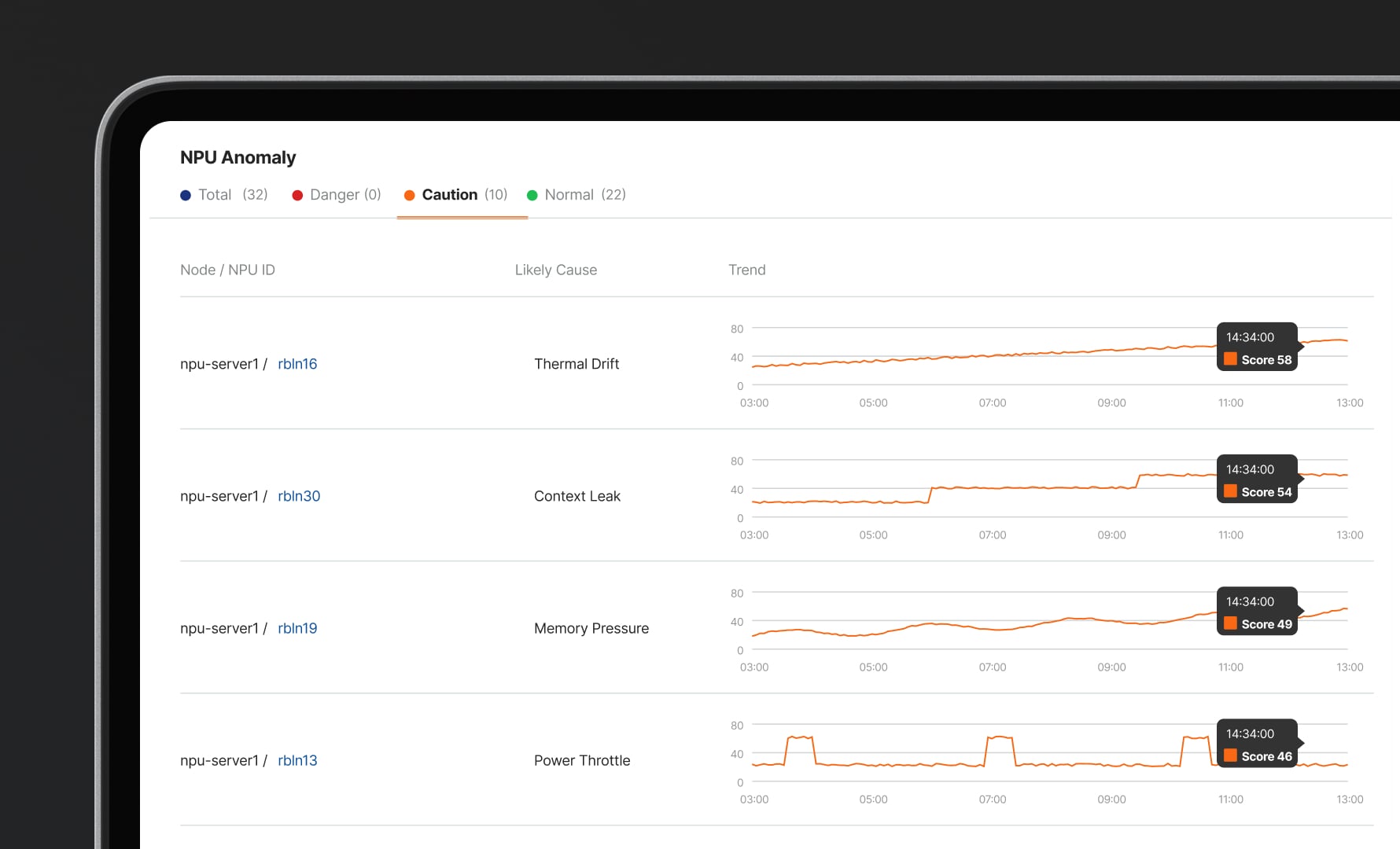
Detect anomalies
with expert-defined rulesMonitor errors, temperature and power around the clock. Engineer-defined rules make every decision traceable.
EXEM Goes Beyond Advice
It's a Partnership for Change
1:1 Consulting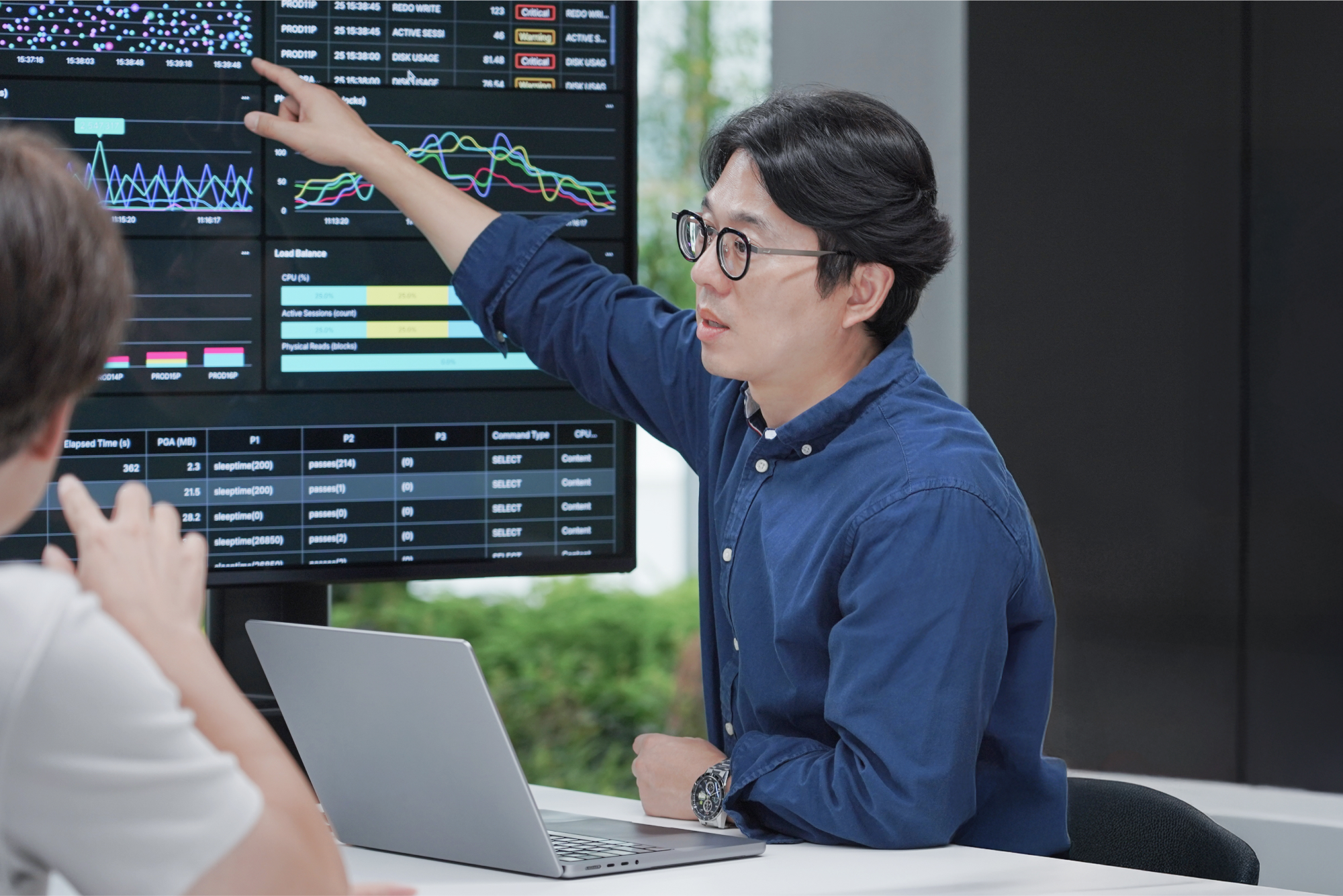
In-Depth Consulting
From solution adoption to operational optimization, we provide systematic support from the client's perspective.
Root Cause Diagnosis
We pinpoint issues accurately through staff interviews and analysis of the system environment and operational status.
Post-Consulting Support
Through regular visits and remote support, we help keep your IT systems stable and optimized long after the engagement.
Integrated Knowledge Portal
Discover technical documentation, operational tools, and educational materials, all in EXEM Portal.
Interested in ExPU?
- Download
Find out more in the brochure for detailed features and specs.
Enhance IT Operations
with EXEM
Transform operations and management into real business impact.